Every January, the same quiet panic moves through small-business offices across the country. The holidays are over, the books are barely closed, and suddenly a stack of tax forms stands between you and a clean start to the year. If you need to file W-2s for employees this season, you’re not alone, and you’re not too late.
After years of running HR and payroll for growing teams, I can tell you this: W-2 season is rarely hard. It’s unforgiving. One wrong Social Security number, one missed Box 12 code, or one day past the deadline, and the IRS starts counting penalties per form.
The good news? Once you know how to file W-2s, the work follows a predictable rhythm. This guide walks you through it: who needs a W-2, the 2027 deadlines, a proven step-by-step process, what changed on the 2026 form, and how to fix costly mistakes before they turn into fines.
In this guide:
- What is a W-2, and who needs one?
- W-2 deadlines for 2027
- A year-end W-2 timeline that actually works
- How to file W-2s for employees: 7 steps
- How to file W-2s online with SSA (or on paper)
- Form W-2 box by box, and what’s new for 2026
- How to reconcile W-2s with Form 941
- Special situations HR teams run into
- Final checklist before you file W-2s
- Common W-2 mistakes, corrections, and penalties
- Frequently asked questions
What is a W-2, and who needs one?
Form W-2, the Wage and Tax Statement, reports what you paid each employee during the calendar year and what you withheld for federal income tax, Social Security, Medicare, and often state and local taxes. You send one copy to the Social Security Administration (SSA), which shares the data with the IRS, and give copies to the employee.
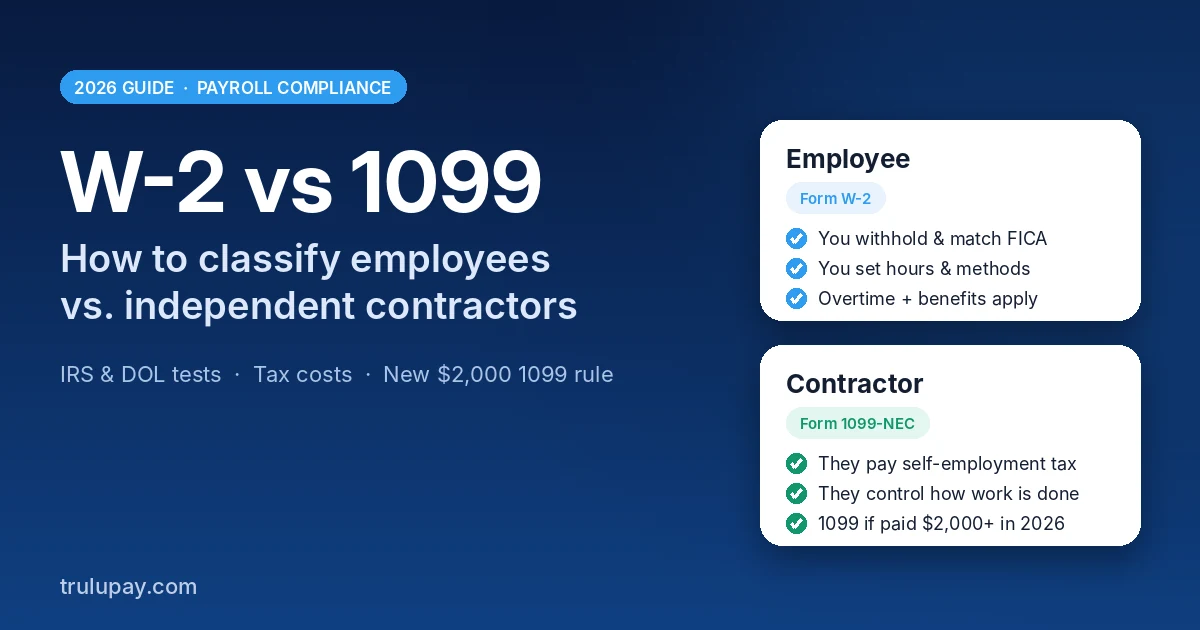
You must issue a W-2 to every employee you paid wages to and withheld taxes from during 2026, including part-time, seasonal, and employees who left mid-year. Independent contractors do not get a W-2; they receive Form 1099-NEC. If you’re unsure which bucket someone falls into, read our guide to W-2 vs 1099 classification before you file W-2s. Misclassification is far more expensive to fix after the forms go out.
Alongside your W-2s, you’ll file Form W-3, the Transmittal of Wage and Tax Statements. It’s a one-page summary that totals every W-2 you submit. If you e-file through SSA or a payroll provider, the W-3 is generated for you.
W-2 deadlines for 2027
For the 2026 tax year, W-2s are due Monday, February 1, 2027, both to the SSA and to your employees. The usual January 31 deadline falls on a Sunday in 2027, so it rolls to the next business day.
| What | Who receives it | 2027 deadline |
|---|---|---|
| Copy A of Form W-2 + Form W-3 | Social Security Administration | February 1, 2027 |
| Copies B, C, and 2 of Form W-2 | Each employee | February 1, 2027 (delivered or postmarked) |
| Q4 Form 941 | IRS | February 1, 2027 |
| State W-2 copies | Your state tax agency | Varies by state; many match February 1 |
Unlike many tax forms, there is no automatic extension to file W-2s. You can request extra time to file with the SSA using Form 8809, but approval is limited and must be requested before the deadline. A separate request is needed for more time to furnish employee copies. In practice, treat February 1 as a hard stop and build your 2027 payroll calendar around it.
A year-end W-2 timeline that actually works
The employers who file W-2s without stress don’t work harder in January. They start earlier. Here’s the schedule I recommend to every HR team I work with.
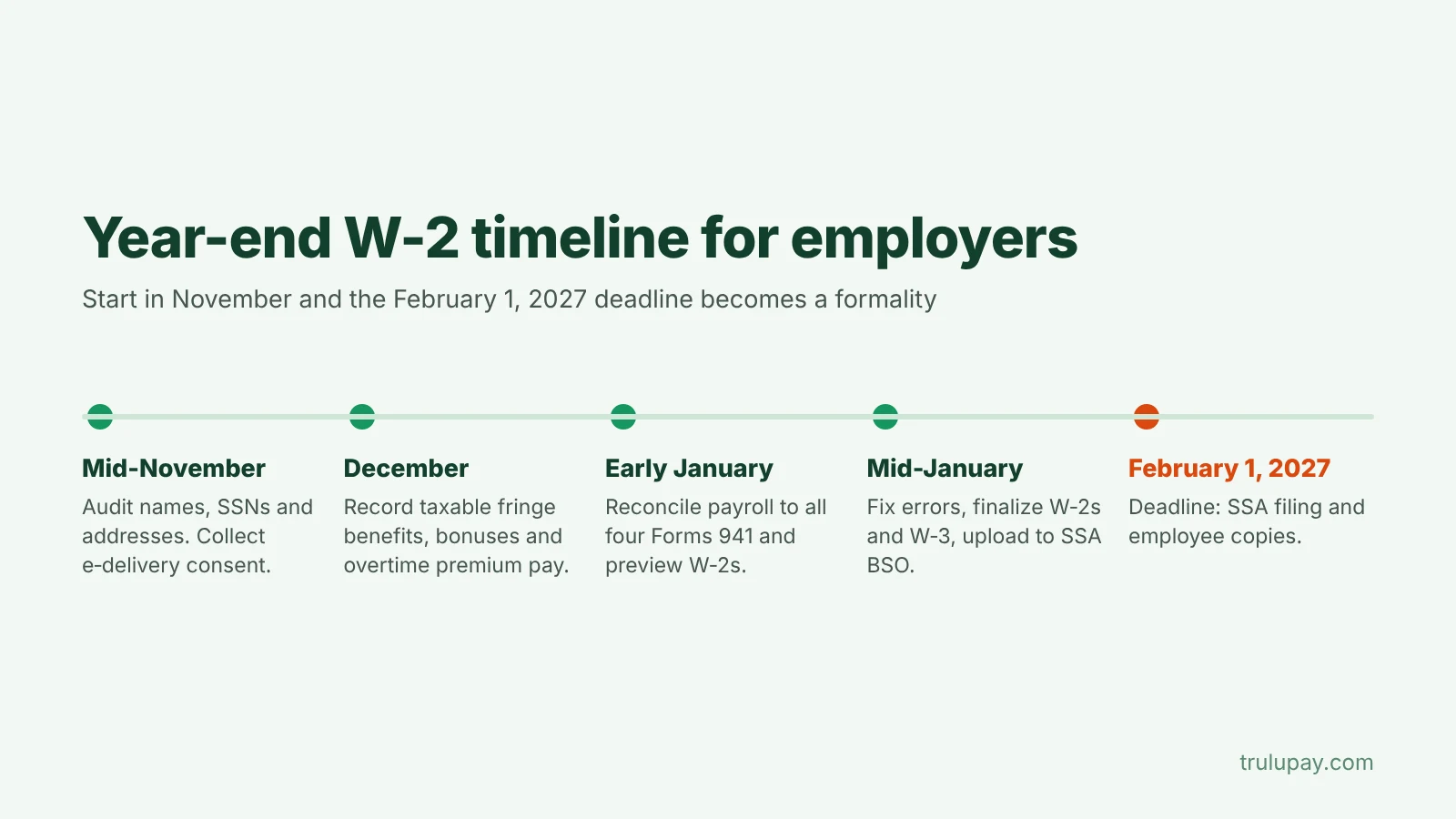
- Mid-November: Audit employee names, Social Security numbers, and mailing addresses. If you plan to send W-2s electronically, collect written consent now.
- December: Record taxable fringe benefits, year-end bonuses, and overtime premium pay. Confirm the date of your final 2026 payroll.
- Early January: Reconcile your full-year payroll to all four Forms 941. Generate draft W-2s and spot-check a sample against pay stubs.
- Mid-January: Fix errors, finalize W-2s and the W-3, and upload them to the SSA. This leaves a buffer if anything is rejected.
- February 1, 2027: The deadline for SSA filing and employee copies. Ideally, you’re already done.
How to file W-2s for employees: 7 steps
Here’s exactly how to file W-2s, in the order HR professionals do it. Start in December, not January, and the deadline becomes a formality.
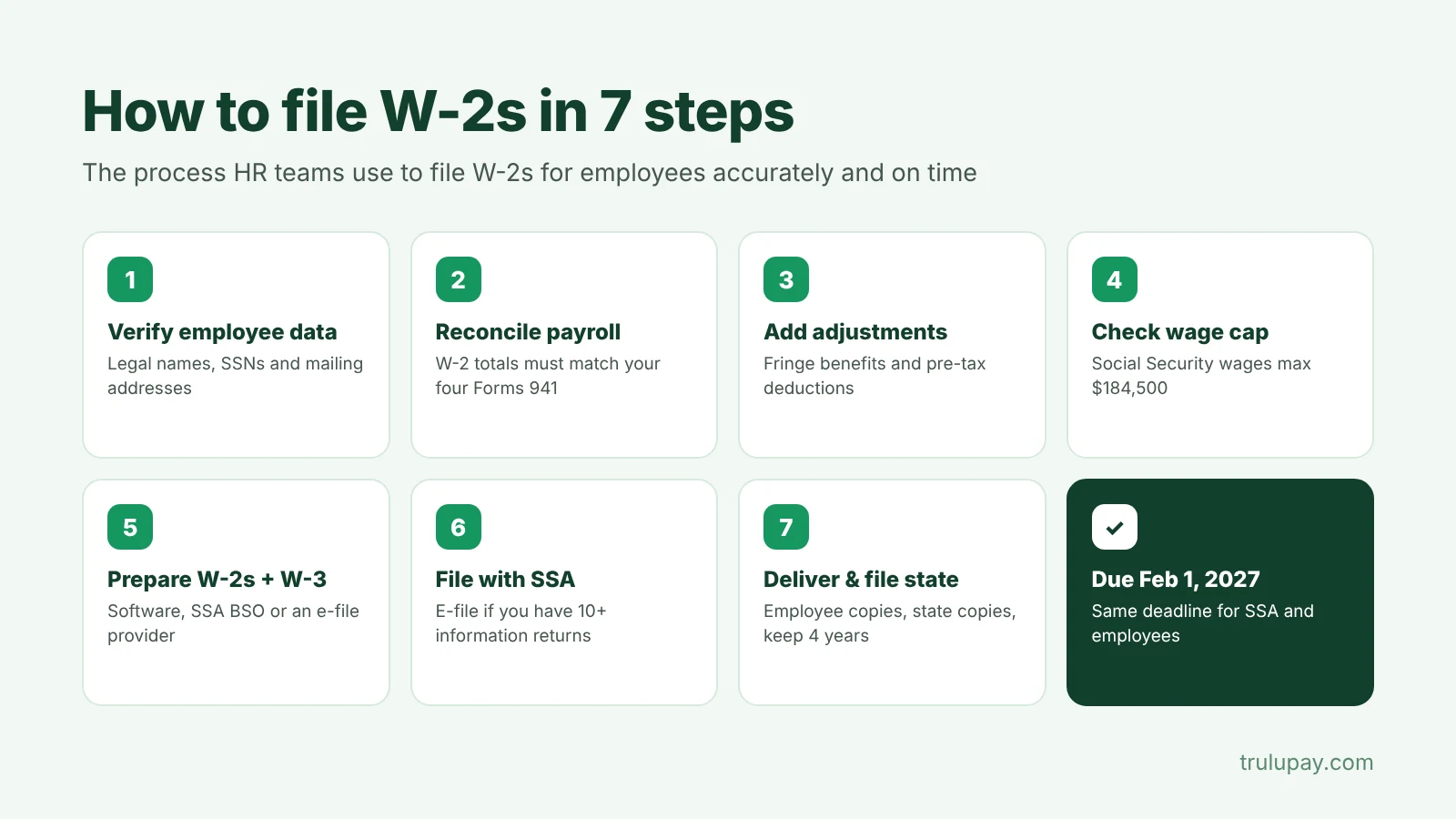
- Confirm every employee’s details. Check legal names and Social Security numbers against each W-4 and the employee’s Social Security card. A name that doesn’t match SSA records is one of the most common reasons W-2s get flagged. Ask employees to confirm their mailing address before the holidays.
- Reconcile payroll for the full year. Your W-2 totals must match the four quarterly Forms 941 you filed in 2026. Run a year-to-date payroll register and compare wages, Social Security wages, Medicare wages, and withholding line by line. Our year-end payroll checklist walks through the full reconciliation.
- Capture year-end adjustments. Add taxable fringe benefits such as personal use of a company car, gift cards, or group-term life insurance over $50,000. Record pre-tax deductions (401(k), HSA, health premiums) so they land in the right boxes.
- Check the Social Security wage cap. For 2026, Social Security tax applies only to the first $184,500 of an employee’s wages. Box 3 should never exceed that amount; Medicare wages in Box 5 have no cap.
- Prepare the W-2s and Form W-3. Use payroll software, SSA’s free Business Services Online (BSO), or an authorized e-file provider. Don’t print Copy A from the IRS website; the official red-ink form is the only paper version the SSA accepts.
- File W-2s with the SSA by February 1, 2027. If you file 10 or more information returns in total (W-2s, 1099s, and similar forms combined), you must file electronically. Even below that threshold, e-filing is faster and gives you a receipt.
- Deliver employee copies and file with your state. Mail or hand-deliver Copies B, C, and 2, or send them electronically if the employee has given consent. Then file state copies according to your state’s rules, and keep your records for at least four years.
How to file W-2s online with SSA (or on paper)
Most small employers can file W-2s online for free through the SSA’s Business Services Online (BSO) portal. Here’s how the process works:
- Register for a BSO account. Create a user ID and request access to wage reporting services.
- Activate your access. The SSA mails an activation code to your business address, so register early. December is ideal.
- Choose how to submit. Key in forms one by one with W-2 Online, or upload a formatted wage file exported from your payroll software.
- Review and submit. BSO builds Form W-3 from your entries automatically. Save the confirmation receipt with your payroll records.
- Print or download employee copies. Forms created in W-2 Online can be printed for distribution to employees.
Filing on paper? It’s only allowed if you have fewer than 10 information returns in total. You must order official, scannable Copy A forms and Form W-3 from the IRS, since printouts of the PDF from IRS.gov aren’t accepted. Mail them flat, not folded, to the SSA. Paper takes longer to process, so most HR teams switch to e-filing once they see how much faster it is.
Form W-2 box by box, and what’s new for 2026
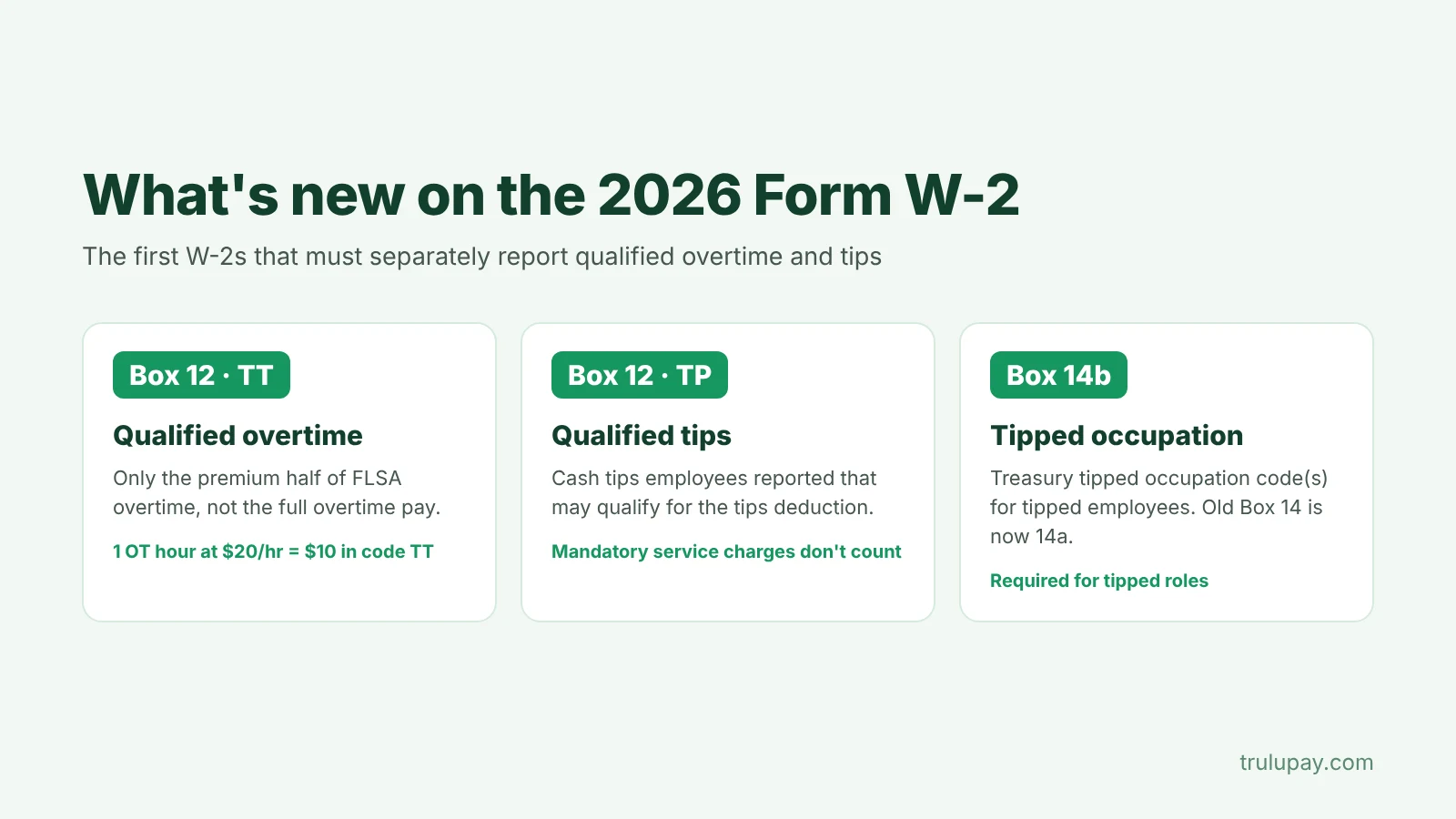
The 2026 Form W-2 is the first one that requires employers to separately report qualified overtime and tips. Under IRS transition relief, that reporting was optional on 2025 forms. This year it isn’t, so double-check these boxes before you file W-2s.
| Box | What goes in it | HR tip |
|---|---|---|
| a–f | Employee SSN, employer EIN, names, addresses | Match names exactly to Social Security cards |
| 1 | Federal taxable wages, tips, and compensation | Excludes pre-tax 401(k) and Section 125 deductions |
| 2 | Federal income tax withheld | Must match your Forms 941 total |
| 3 / 4 | Social Security wages / tax withheld | Box 3 caps at $184,500 for 2026 |
| 5 / 6 | Medicare wages / tax withheld | No wage cap; includes Additional Medicare Tax |
| 7 | Social Security tips | All reported tips, not only qualified ones |
| 10 | Dependent care benefits | Report amounts over the plan limit as wages too |
| 12 | Coded items (401(k), HSA, health coverage cost) | New: code TT for qualified overtime, code TP for qualified tips |
| 13 | Statutory employee, retirement plan, third-party sick pay | Check “retirement plan” for anyone eligible to contribute |
| 14a | Other (e.g., union dues, state disability) | Formerly just “Box 14” |
| 14b | New: Treasury tipped occupation code(s) | Required for tipped employees |
| 15–20 | State and local wages and taxes | Repeat for each state if the employee worked in more than one |
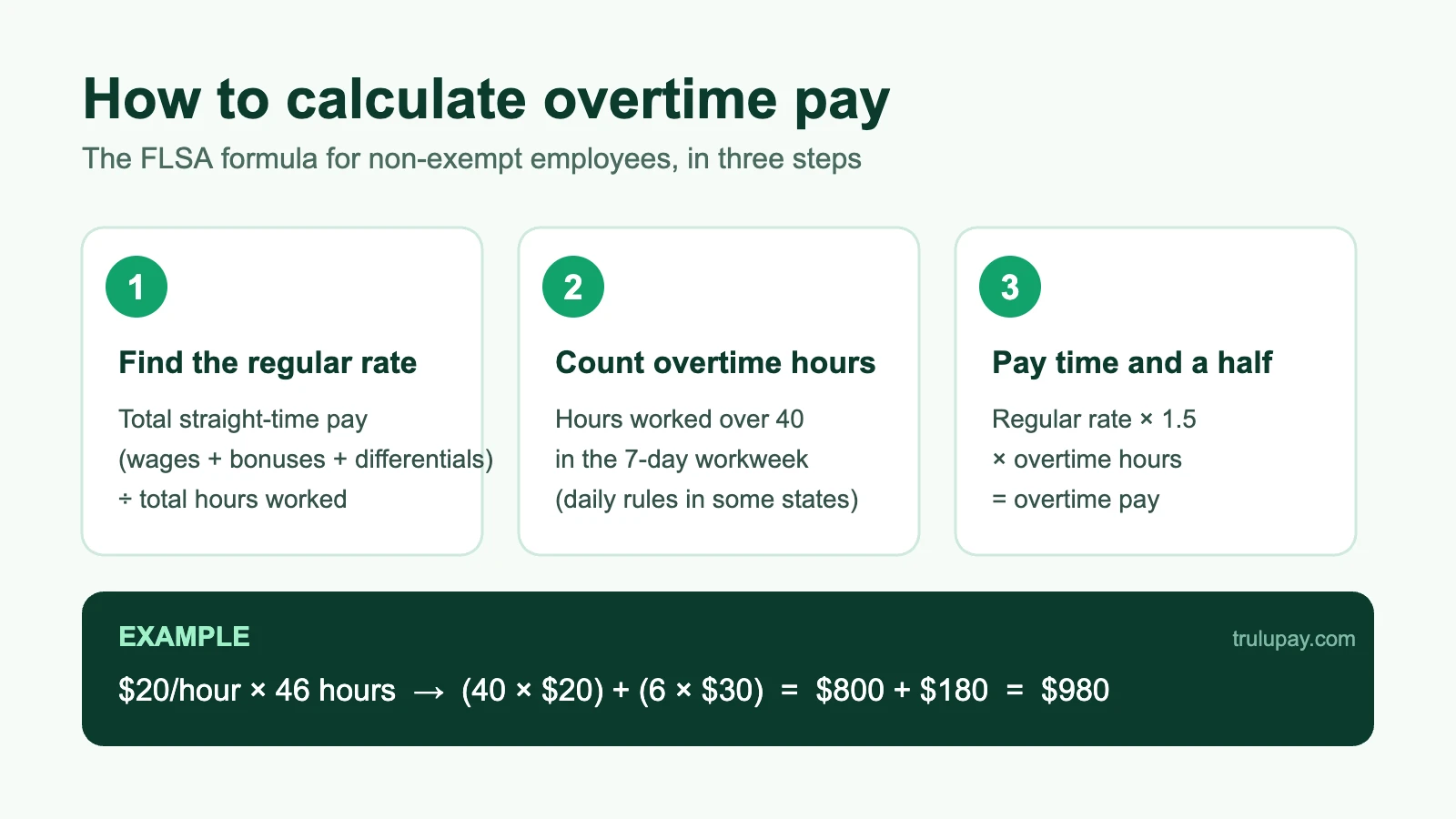
What code TT means: Box 12, code TT reports only the premium portion of FLSA-required overtime, the extra “half” in time-and-a-half, not the full overtime paycheck. If your payroll system can’t split regular and premium pay, fix that before you generate forms. Our overtime pay guide shows the math.
What code TP means: Box 12, code TP reports cash tips employees reported to you that may qualify for the new tips deduction. Mandatory service charges are not qualified tips.
How to reconcile W-2s with Form 941
Before you file W-2s, compare your Form W-3 totals against the sum of your four 2026 Forms 941. The IRS runs this same match, and mismatches trigger notices months later. Check these pairs:
| Form W-3 box | Should equal (sum of four Forms 941) |
|---|---|
| Box 1: Wages, tips, other compensation | Line 2: Wages, tips, and other compensation |
| Box 2: Federal income tax withheld | Line 3: Federal income tax withheld |
| Box 3 + Box 7: Social Security wages and tips | Lines 5a + 5b: Taxable Social Security wages and tips |
| Box 5: Medicare wages and tips | Line 5c: Taxable Medicare wages and tips |
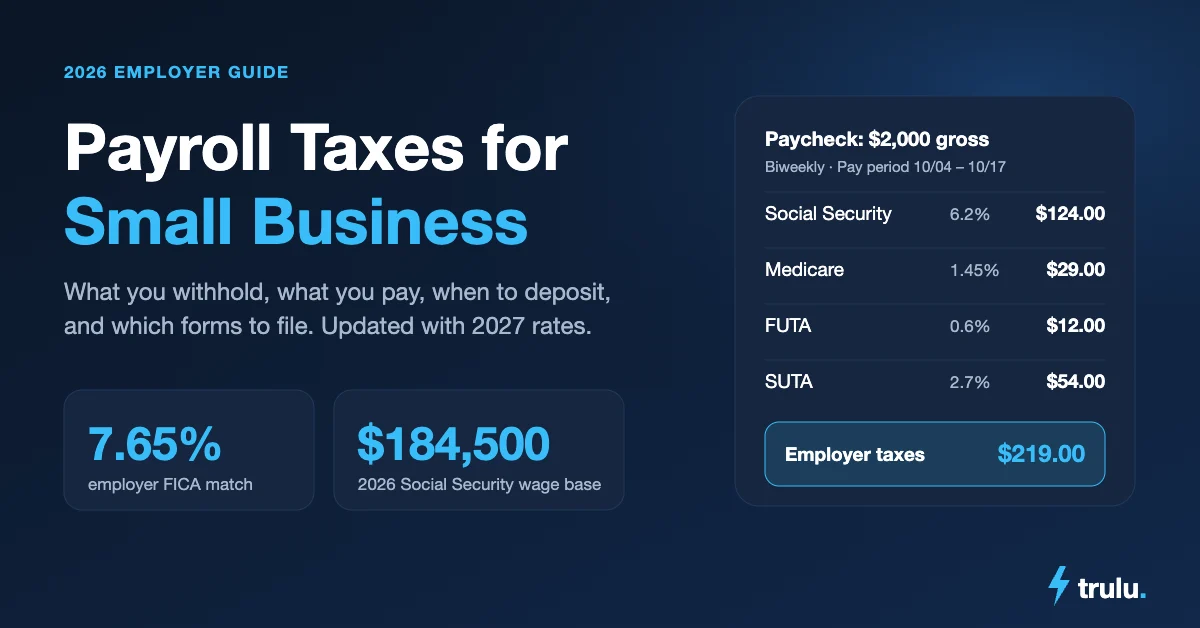
A difference doesn’t always mean an error. Third-party sick pay, prior-year adjustments, or a corrected Form 941-X can explain it. But every gap should have a written explanation in your payroll file. For more on what each line covers, see our guide to payroll taxes for small business.
Special situations HR teams run into
Employees who left during the year. Former employees still get a W-2 by February 1, mailed to their last known address. If an employee asks for theirs early, you can provide it within 30 days of the request or final wage payment, whichever is later.
Employees who want electronic W-2s. You can deliver W-2s electronically only if the employee has affirmatively consented. Your notice must explain how to access and print the form, and the W-2 must stay available through October 15 of the following year.
A lost or damaged W-2. Issue a replacement copy marked “REISSUED STATEMENT.” Don’t send it to the SSA, since the original filing still stands.
Employees who worked in more than one state. Use Boxes 15 through 17 for each state. A single W-2 holds two states; use additional forms if an employee worked in three or more.
New hires late in the year. Even an employee hired on December 28 with one paycheck needs a W-2. These are easy to overlook, so filter your payroll register by hire date. Our employee onboarding checklist helps capture the right data from day one.
Final checklist before you file W-2s
Run through this list the week before you submit. It takes about 30 minutes and catches the errors that cause most W-2 corrections:
- Every employee paid in 2026 appears in your payroll register, including terminated employees and late-December hires
- Names and Social Security numbers match Social Security cards exactly
- Form W-3 totals reconcile to your four Forms 941, with any differences documented
- Box 3 Social Security wages don’t exceed $184,500 for any employee
- Box 12 codes are complete, including code TT for qualified overtime and code TP for qualified tips
- Box 14b tipped occupation codes are entered for every tipped employee
- State and local boxes are filled in for every state where the employee worked
- Electronic delivery consents are on file for employees receiving digital W-2s
- Your BSO account is active, or your payroll provider has confirmed its filing date
If every box is checked, you’re ready to file W-2s with confidence.
Common W-2 mistakes, corrections, and penalties
The most expensive W-2 errors are also the most avoidable:
- Misspelled names or transposed Social Security numbers
- W-2 totals that don’t match the year’s Forms 941
- Missing or incorrect Box 12 codes, especially the new TT and TP codes
- Issuing a W-2 to a contractor, or a 1099 to an employee
- Outdated addresses that send employee copies back to you
- Waiting until late January to file W-2s, leaving no time to fix rejections
Found an error after filing? File Form W-2c (Corrected Wage and Tax Statement) with the SSA and give the employee a corrected copy. If you e-filed the original, e-file the correction too. Fix it quickly: the penalty depends on how late the correct form arrives.
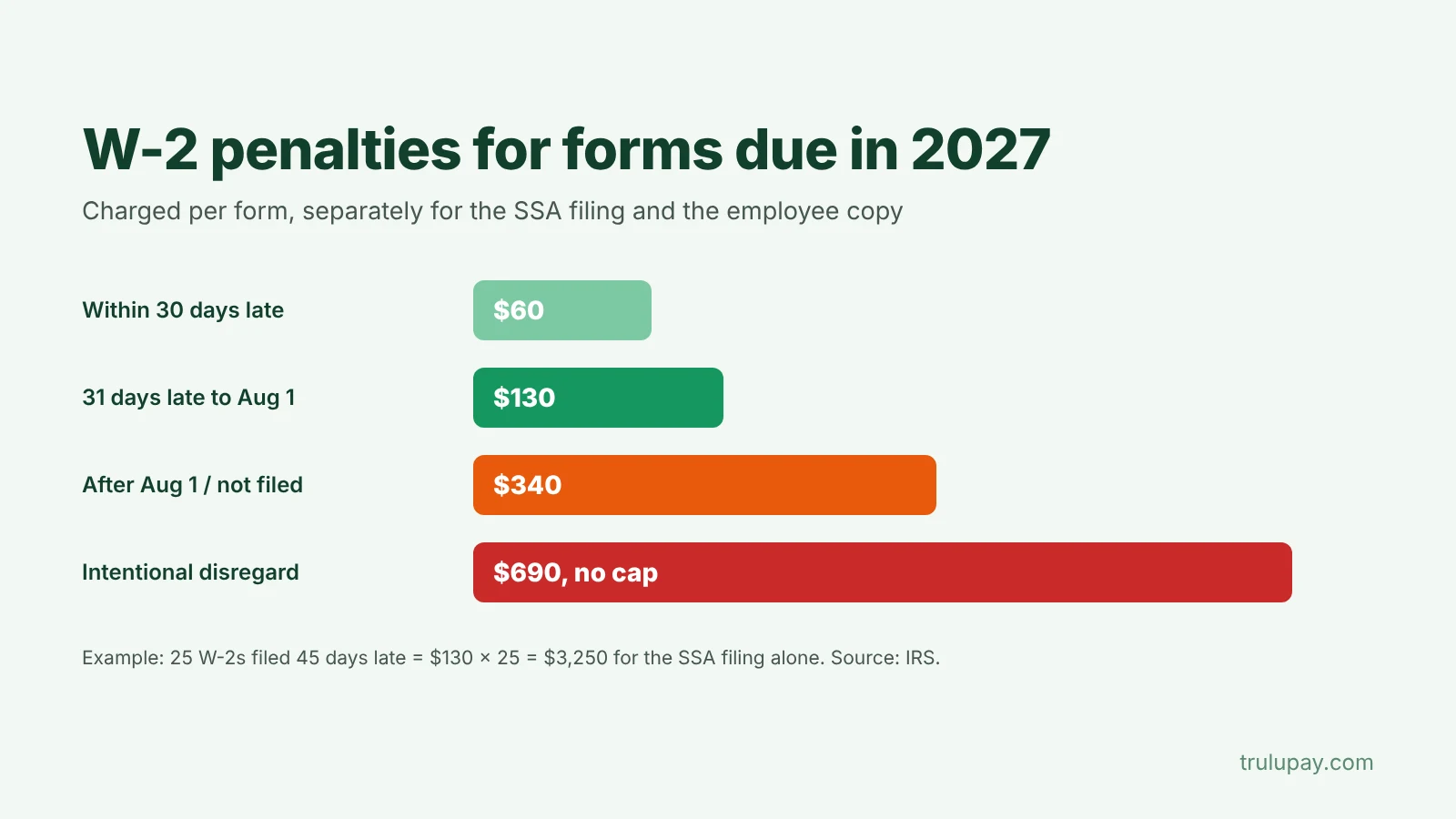
Penalties for W-2s due in 2027 are charged per form, and apply separately to the SSA filing and the employee copy. These are the IRS information return penalties for returns due in 2027:
| When the correct W-2 is filed | Penalty per form | Annual maximum (small business) |
|---|---|---|
| Within 30 days of the deadline | $60 | $244,500 |
| 31 days late through August 1 | $130 | $698,500 |
| After August 1, or never filed | $340 | $1,397,000 |
| Intentional disregard | $690 | No maximum |
For a 25-person company that files 45 days late, that’s $130 × 25 = $3,250 for the SSA filing alone, before any penalty for late employee copies.
Frequently asked questions
When are W-2s due in 2027?
You must file W-2s for the 2026 tax year by Monday, February 1, 2027, with the Social Security Administration, and furnish copies to your employees by the same date.
Can I file W-2s online for free?
Yes. The SSA’s Business Services Online (BSO) lets you file W-2s and W-3s electronically at no cost after registering for an account.
Do I have to e-file my W-2s?
You must e-file if you file 10 or more information returns in total for the year, counting W-2s, 1099s, and similar forms together.
What happens if I file W-2s late?
Penalties start at $60 per form if you file within 30 days and rise to $340 per form after August 1, 2027.
Do I need to send a W-2 to an employee who quit?
Yes. Former employees who earned wages during 2026 need a W-2 by the same deadline, mailed to their last known address.
How do I correct a W-2 that’s already been filed?
File Form W-2c with the SSA and give the employee a corrected copy as soon as you find the error.
Do I file W-2s with the IRS or the SSA?
You file W-2s with the SSA, not the IRS. The SSA processes the wage data and shares it with the IRS.
Make W-2 season the easiest week of your year
W-2s go wrong when payroll data lives in spreadsheets, side notes, and someone’s memory. They go right when every paycheck, deduction, and overtime hour is captured correctly the day it happens.
That’s the job Trulu was built for. Our AI-powered HR and payroll platform tracks wages, withholdings, and benefits all year, flags data mismatches before they reach a tax form, and generates W-2s and W-3s when you need them. See how Trulu simplifies payroll for small businesses, and start 2027 ready to file W-2s on time, with forms you don’t have to worry about.
This article is for general information and is not tax or legal advice. Confirm requirements with the IRS, SSA, your state agency, or a tax professional.